How to change name on PayPal
Introduction
Your PayPal account name should always match your official personal information to avoid issues with payments, withdrawals, or account verification. Whether you recently got married, changed your legal name, noticed a spelling mistake, or simply need to update outdated details, PayPal provides options to modify your account name.
Changing your name on PayPal is usually a simple process, but the steps can vary depending on the type of update you need. Small corrections may only require a quick edit, while legal name changes often require supporting documents. This guide explains how to change your PayPal name, what information you may need, and how to handle common problems during the process.
Understanding PayPal Name Changes
Why You May Need to Change Your PayPal Name
There are several situations where updating your PayPal name becomes necessary. Many users change their name after marriage, divorce, or a legal name update. Others may need to correct a simple typing mistake made when creating their account.
Keeping your PayPal name accurate is important because your account information may need to match your bank account, credit card, or identity documents. An incorrect name can sometimes create delays during verification or when managing payments.
Common reasons for changing a PayPal name include:
- Fixing spelling mistakes
- Updating a legal name
- Matching financial account details
- Correcting outdated personal information
PayPal Name Change Rules and Requirements
PayPal allows users to update their account name, but the process depends on the type of change requested. Minor corrections, such as fixing a small spelling error, are usually easier than changing your entire name.
For major changes, PayPal may ask for proof that confirms your new identity. This helps protect accounts from unauthorized modifications. The information you provide should match your official documents to prevent delays.
Before requesting a name change, make sure your PayPal account is active and that you have access to any required verification details.
How to Change Your Name on PayPal (Step-by-Step)
Change Your Name Using PayPal Website
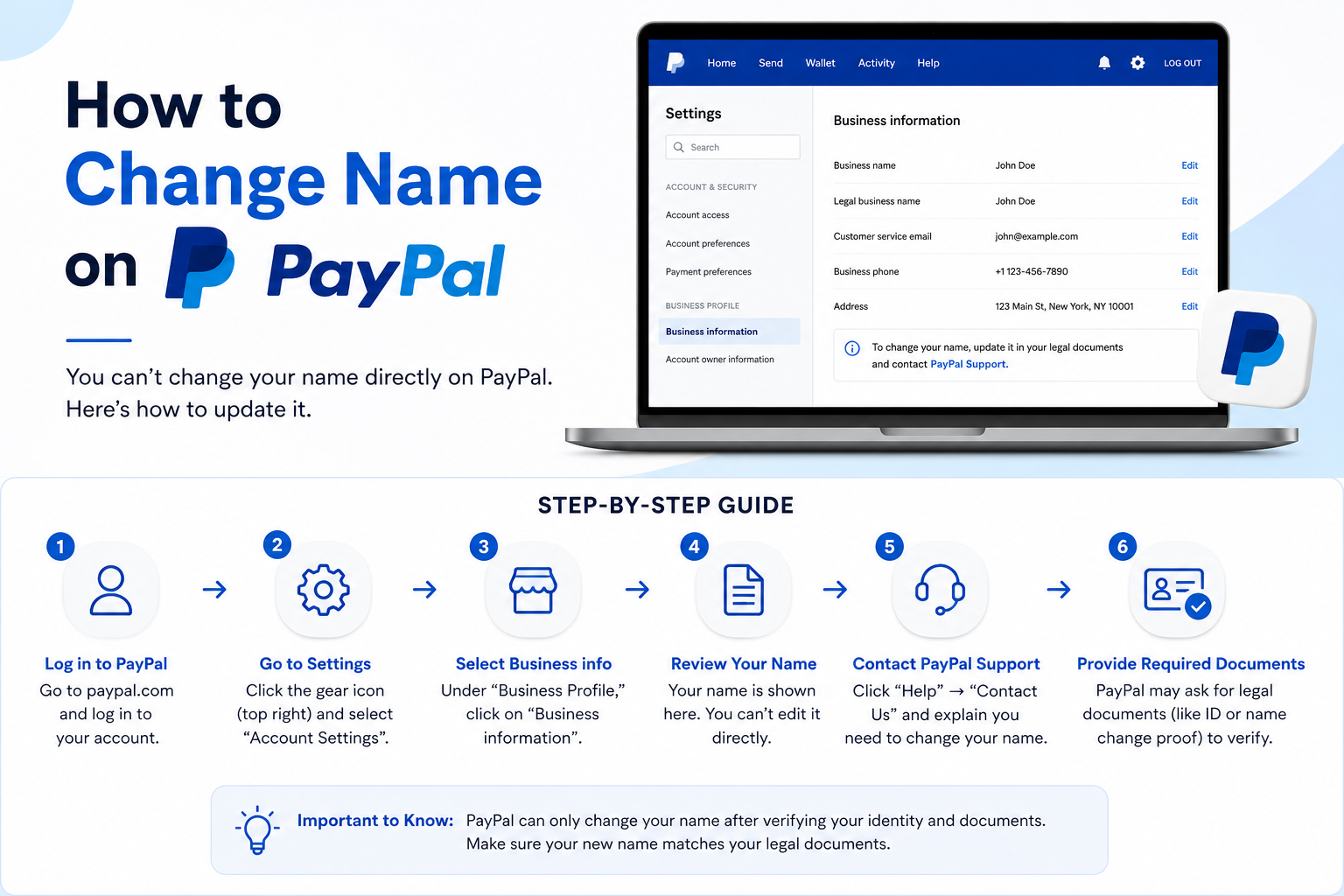
Changing your PayPal name through the website can be completed from your account settings. Start by signing in to your PayPal account using your email address and password.
After logging in, open the settings menu and locate your personal information section. From there, you can view your current name and select the option to update it.
Follow these steps:
- Log in to your PayPal account.
- Click the settings icon.
- Select your personal information.
- Choose your name and click the edit option.
- Enter your updated information.
- Submit the request and complete verification if required.
Once approved, your new name will appear on your PayPal account.
Change Your Name Using the PayPal Mobile App
If you mainly use PayPal through your phone, you can also request a name update from the mobile app. The app provides access to your account settings, making it convenient for quick changes.
Open the PayPal app and sign in. Go to your profile or account settings area and find your personal details. Select your name and follow the instructions to request an update.
Some changes may require additional verification before PayPal approves them. Make sure your information is entered correctly before submitting the request to avoid unnecessary delays.
How to Change Your Legal Name on PayPal
Documents Required for a Legal Name Change
A legal name change usually requires additional proof because PayPal needs to confirm that the request is legitimate. The documents required may depend on your situation and location.
You may be asked to provide documents such as:
- Government-issued identification
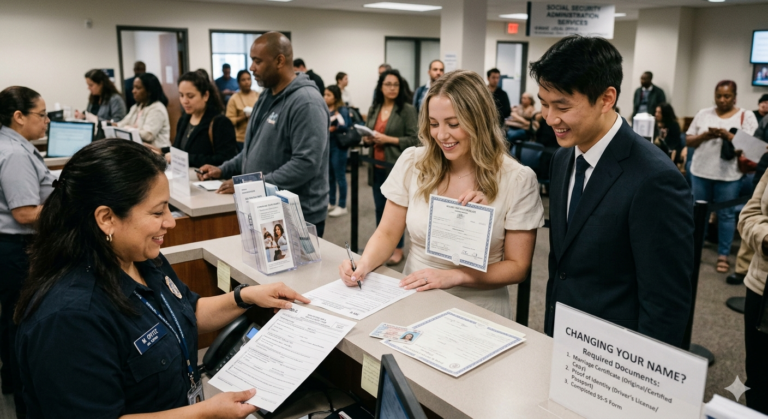
- Marriage certificate
- Court-approved name change documents
- Other official records showing your updated name
Make sure your documents are clear and readable. Any mismatch between your PayPal account information and submitted documents may slow down the approval process.
Steps to Submit a Legal Name Change Request
When requesting a legal name change, you may need to upload supporting documents through PayPal’s verification process. Carefully review your details before submitting your request.
Provide the updated name exactly as it appears on your official documents. After submission, PayPal reviews the information and updates your account if everything meets their requirements.
The review time can vary depending on the request and verification details. Checking your account notifications or email can help you track the progress of your name change request.
How to Fix a Wrong Name on PayPal Account
Correcting a Typing Error or Small Name Mistake
If your PayPal name contains a small error, such as a missing letter or incorrect spelling, the correction process is usually straightforward. These minor updates typically do not require extensive documentation.
Simply access your personal information settings and request the correction. Double-check the updated spelling before saving the changes.
Even small mistakes should be fixed because your PayPal name may need to match other financial records connected to your account.
What to Do If PayPal Does Not Allow the Change
Sometimes users may not see an option to edit their name or may receive an error while submitting a request. This can happen because of account limitations, security checks, or verification requirements.
In these situations, contacting PayPal customer support is the best option. Explain the reason for the change and provide any requested information.
Having your identification documents ready can help speed up the process if PayPal needs additional confirmation.
Things to Know Before Changing Your PayPal Name
Impact on Payments and Transactions
Updating your PayPal name does not usually remove your transaction history or affect previous payments. Your account remains the same, but your personal details are updated.
However, it is important to make sure your new name matches connected financial accounts. Differences between your PayPal information and bank details may create issues when sending or receiving money.
Before making changes, review your linked payment methods and ensure your updated information is accurate across your financial services.
PayPal Account Verification After Name Update
After changing your name, PayPal may perform security checks to protect your account. This is especially common when making major changes that involve legal name updates.
You may receive requests for additional information or documents. Completing verification promptly helps avoid delays.
Keeping your account details current also improves account security and makes future transactions smoother.
Common Problems When Changing PayPal Name
PayPal Name Change Option Not Showing
Some users may not find the option to edit their name in PayPal settings. This can happen because of account restrictions, technical issues, or specific account conditions.
Try checking your account through a different browser or updating the PayPal app. If the option is still unavailable, customer support can help explain why the feature is not accessible.
Name Change Request Rejected
A PayPal name change request may be rejected if the information does not match your documents or if the submitted files are unclear.
To avoid rejection:
- Submit accurate information
- Upload clear documents
- Use your official legal name
- Review all details before sending
If your request is denied, contact PayPal support to understand the reason and learn what steps are needed next.
Frequently Asked Questions (FAQs)
Can I change my PayPal name without verification?
Small corrections may not require extensive verification, but larger name changes often need proof. PayPal decides what verification is required based on the request.
How many times can I change my PayPal name?
PayPal may limit name changes to protect account security. Frequent changes or unusual requests may require additional review.
How long does PayPal take to approve a name change?
The approval time depends on the type of change and whether documents are required. Simple corrections may happen quickly, while legal changes can take longer.
Can I change my PayPal name after marriage?
Yes, you can update your PayPal name after marriage. You may need to provide supporting documents showing your new legal name.
Can I use a different name on my PayPal account?
Your PayPal account name should represent your real identity. Using incorrect information can create problems with verification and account access.
Conclusion
Changing your name on PayPal is a straightforward process when your account information and documents are accurate. Whether you are correcting a mistake or updating a legal name, following the correct steps helps ensure a smooth update.
Always make sure your PayPal details match your official records and connected financial accounts. If you experience issues during the process, PayPal support can guide you through the required steps.
Keeping your account information updated not only prevents payment problems but also helps maintain a secure and reliable PayPal experience.